AI automations and AI agents for teams buried in manual work
We build workflows that handle the repetitive parts of your business, and AI agents that answer, sort and follow up on their own. Your team gets its hours back.
Leads arrive from five places and live in none of them
Someone copies data between tools every day
Follow-ups depend on who remembers
Reports take a morning to put together
Customers wait hours for answers you’ve given a hundred times
Your team is busy, but growth feels stuck
AUTOMATION OR AGENT?
Two tools for two kinds of work
AUTOMATION
Follows your rules
Best for steps that repeat the same way every time: moving data, sending reminders, building reports. Predictable and cheap to run.
AI AGENT
Reads, decides, replies
Best for messages, documents and questions that never arrive the same way twice. It works within limits you set and hands over to a person when it’s unsure.
Most systems we build use both.
USE CASES
What we build
AUTOMATIONS
01
Lead capture and routing
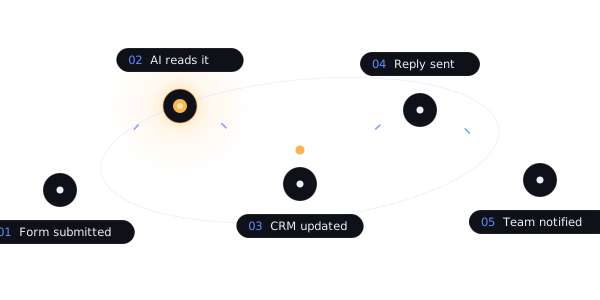
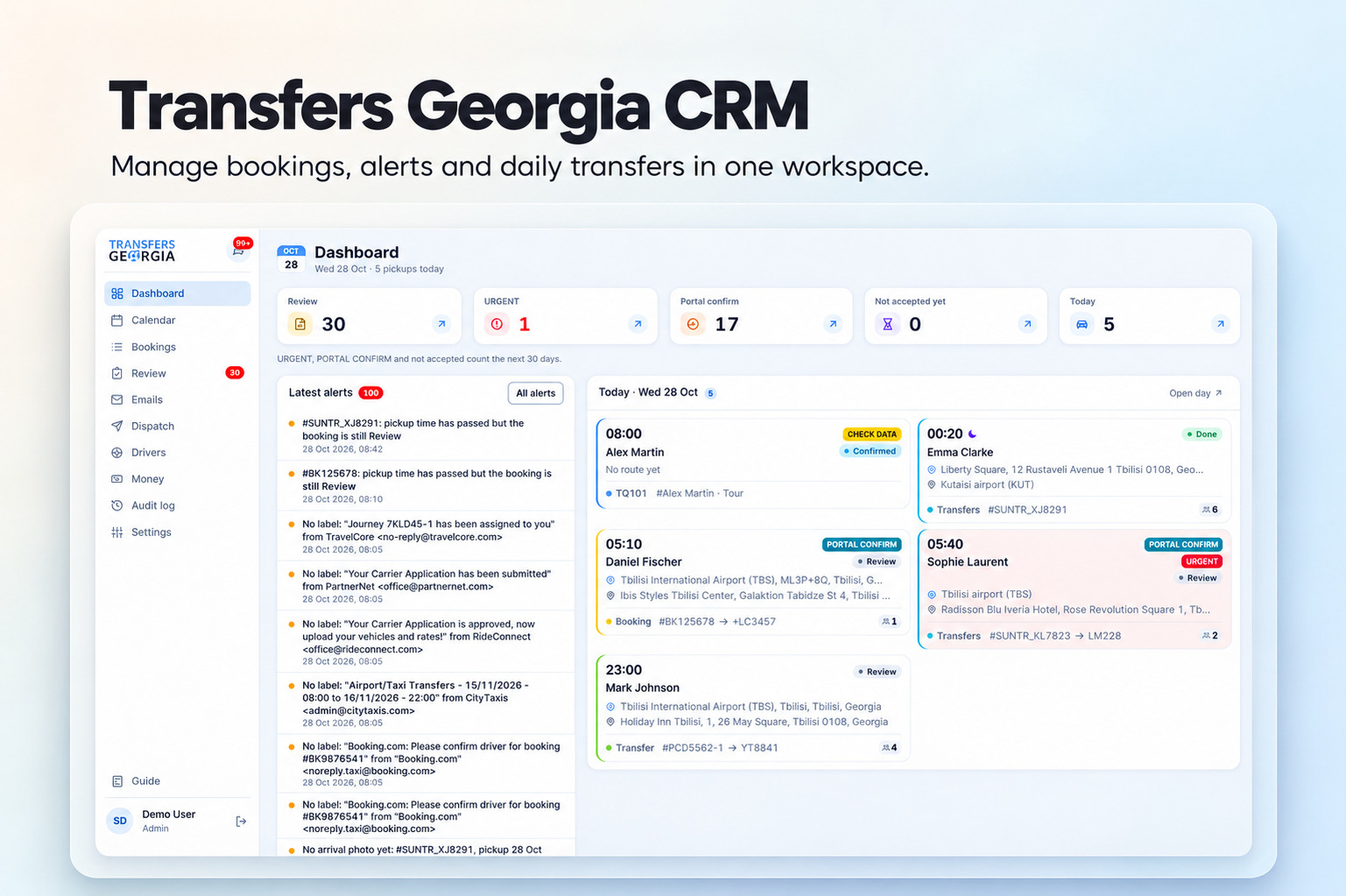
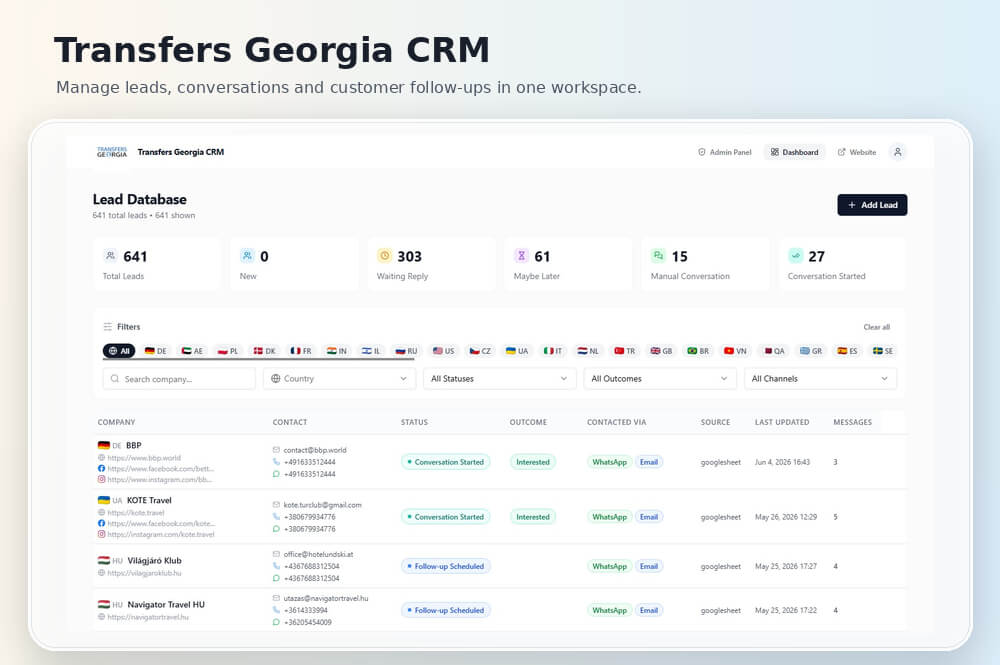
Every lead lands in one place, gets qualified and goes to the right person.
02
Email and WhatsApp replies
AI drafts or sends answers to common questions, and flags the ones that need a human.
03
Follow-ups
Automatic reminders and follow-up messages based on what the lead did or didn’t do.
04
Data sync between tools
Your CRM, sheets, store and inbox stay in sync without anyone copying anything.
05
Reports and summaries
Daily or weekly reports built and delivered to your inbox or Slack.
06
Content and social posting
Posts drafted, designed and scheduled from a single source.
AI AGENTS
07
Customer support agent
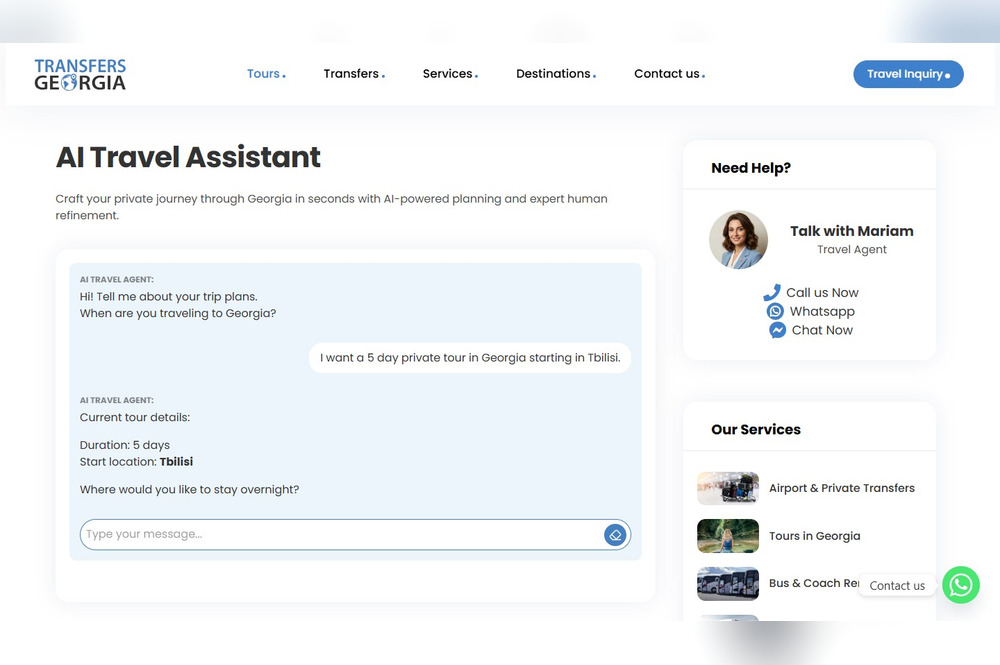
Answers common questions on your website, WhatsApp or email, and hands over to a person when it’s out of its depth.
08
Lead qualification agent
Asks the right questions, scores each lead and books
PROCESS
How a project runs
01
Discover
We talk through what’s slowing you down, map the process, and find what’s worth automating.
02
Design
You see the plan before we build: the workflow, the screens, what connects to what. No surprises later.
03
Build
We work in short cycles and show progress as we go. You test real things, early.
04
Launch
We go live, watch it closely in the first weeks, and fix what real use reveals.
Most of our automations run on n8n, an open workflow platform. It can live on your own server, so the workflows, the data and the logic stay yours. We add AI where it earns its place and keep the rest simple.
Automation follows fixed rules: if this happens, do that. AI automation adds judgment, like reading a message and deciding if it’s a sales lead, a complaint or spam. Most good systems use both.
Almost anything with an API or email access: CRMs, Google Sheets, WhatsApp, Gmail, WooCommerce, Slack, forms and booking systems. If you’re not sure, ask.
A focused workflow usually takes one to three weeks. Larger systems with several connected workflows take longer. You get a timeline before work starts.